



Top 10 Best Stardew Valley Mods (2026) – Tested & Reviewed
I still remember the exact moment I decided to start modding Stardew Valley. I was in year four of my vanilla farm, staring at a massive field of 500 unwatered crops on the first day of Summer, and I just sighed. I loved the game; I had already poured over 200 hours into it, but the daily grind was starting to feel like actual manual labor instead of a cozy escape.
That is when I finally downloaded SMAPI (the modding tool for the game) and fell down the rabbit hole.
If you are reading this, you are probably in the same boat. You love Pelican Town, but you are either looking for fresh content, desperately need some quality-of-life upgrades, or just want the game to look a little softer on the eyes. Searching for the trending Stardew Valley mods right now can be incredibly overwhelming because Nexus Mods literally has tens of thousands of options.
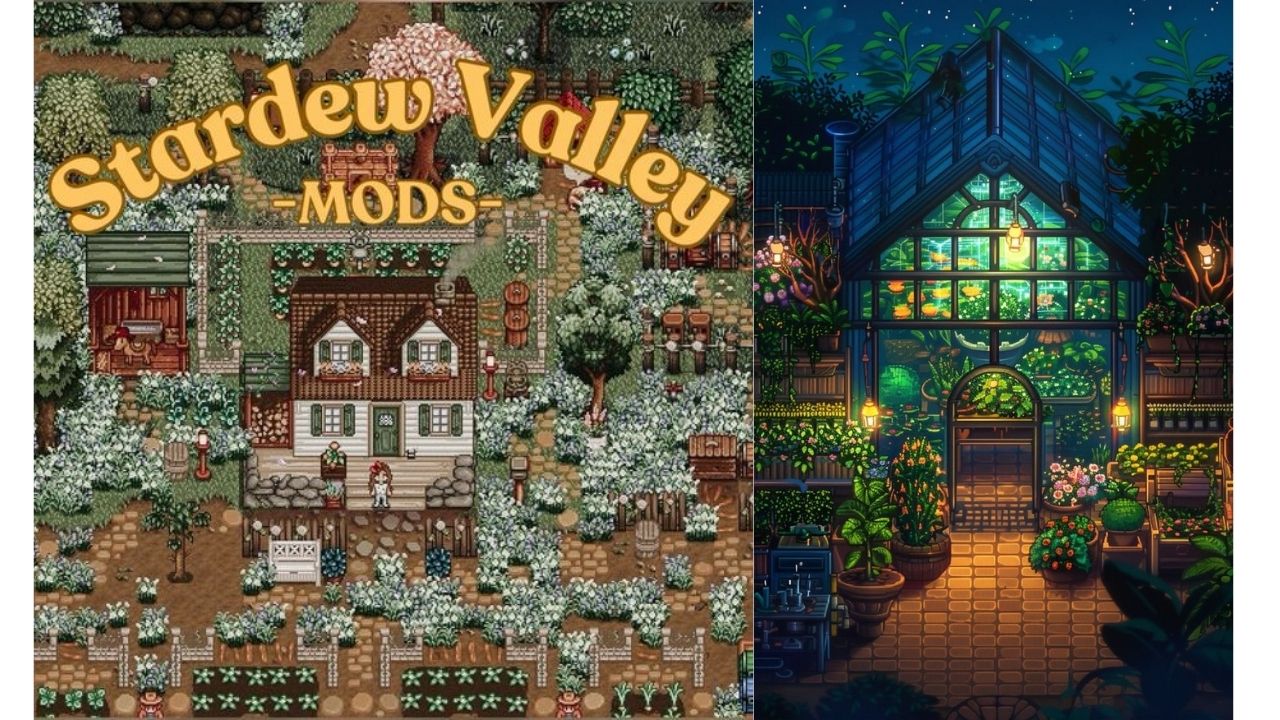
In this guide, I’m cutting out the fluff. I have personally installed, tested, and played with hundreds of mods. Below, I am sharing the top 10 trending Stardew Valley mods that will actually improve your game without completely breaking the vanilla charm. Let’s get into it!
⚡ Quick Answer: The Top 10 List (For Fast Readers)
Don’t have time to read the deep dive? Here is the rapid-fire list of the best mods you should install right now:
- Stardew Valley Expanded (SVE): The ultimate massive content expansion.
- Ridgeside Village: Adds a massive new town, 50+ NPCs, and new storylines.
- Automate: Automatically pulls items from chests into machines (kegs, furnaces).
- NPC Map Locations: Shows exactly where every villager is on your map in real-time.
- Tractor Mod: Lets you buy a tractor to clear land, plant, and harvest instantly.
- Lookup Anything: Press F1 on anything to see what it is, what it does, and who loves it.
- Chests Anywhere: Access your storage chests from anywhere in the world.
- UI Info Suite 2: Shows luck, crop growth times, and scarecrow ranges on screen.
- DaisyNiko’s Earthy Recolor: Changes the neon vanilla colors to gorgeous, muted natural tones.
- Skull Cavern Elevator: Adds an elevator to the Skull Cavern so you don’t have to start at floor 1 every time.
The 10 Best Trending Stardew Valley Mods Examined
Let’s break down exactly what makes these mods so incredibly popular, how they feel to actually play, and whether they belong in your specific mod folder.
1. Stardew Valley Expanded (SVE)
Short explanation: SVE isn’t just a mod; it is practically an unofficial sequel. It adds dozens of new locations, 27 new NPCs, new fish, new crops, custom questlines, and expands the vanilla map significantly.
My personal experience: I tested this mod on a fresh save file, and within ten minutes, I was blown away. The sheer quality of the writing makes the new characters feel like they were created by ConcernedApe himself. Walking into the newly expanded Adventurer’s Guild or exploring the massive new Western forest made me feel like I was playing the game for the very first time again. It is incredibly seamless.
Pros & Cons:
- Pros: Massive amount of high-quality content; integrates perfectly with vanilla lore; gives you a reason to start a new farm.
- Cons: Can be heavy on older laptops; requires a lot of supporting framework mods to run.
Who it is best for: Players who have already achieved “Perfection” in the base game and are starving for new storylines and areas to explore.
2. Ridgeside Village
Short explanation: If SVE expands Pelican Town, Ridgeside Village adds a completely separate, massive town accessible via a cable car. It features over 50 new NPCs, new festivals, custom music, and a deep, magic-focused storyline.
My personal experience: In my experience, installing both SVE and Ridgeside at the same time is almost too much content! When I first took the cable car up to Ridgeside, I spent three in-game days just trying to meet everyone. The festivals they added are beautifully animated. However, because it is so large, I found myself ignoring my farm just to keep up with the Ridgeside villager quests.
Pros & Cons:
- Pros: Incredible magical lore; massive new cast of datable characters; phenomenal custom soundtrack.
- Cons: Can feel overwhelming; the town is so big it takes half a day just to walk through it.
Who it is best for: Lore junkies who love the social aspect of Stardew Valley and want a massive new community to befriend.
3. Automate
Short explanation: Put a chest next to a machine (like a furnace or a keg). Put raw materials in the chest. The machine automatically pulls the materials, processes them, and pushes the finished product back into the chest.
My personal experience: I installed this around my third playthrough, and it completely changed my life. I set up a single chest touching a line of 50 kegs. I dumped 500 ancient fruits into the chest and went to sleep. A week later, the chest was full of ancient fruit wine. No more running down aisles, clicking every single machine. It is glorious.
Pros & Cons:
- Pros: Saves hours of tedious clicking; allows for massive, automated factory setups.
- Cons: Some players feel it is slightly “cheaty” because it removes a core gameplay loop.
Who it is best for: Min-maxers, late-game players, and anyone tired of manually loading hundreds of jars and kegs every few days.
4. NPC Map Locations
Short explanation: Modifies the in-game map (press ‘M’) to show tiny, real-time icons of every villager’s head exactly where they are currently standing.
My personal experience: Look, we have all experienced the rage of needing to buy hay from Marnie, running all the way to her ranch, and finding her staring at her microwave for three hours. I tested this mod simply to save my sanity. Now, I just open the map, see that Robin is walking to the mountains, and intercept her. It is the single most essential QoL mod on this list.
Pros & Cons:
- Pros: Eliminates the need to have the Stardew Wiki schedule pages open on your second monitor.
- Cons: Literally none. It should have been a vanilla feature years ago.
Who it is best for: Literally everyone who plays the game.
5. Tractor Mod
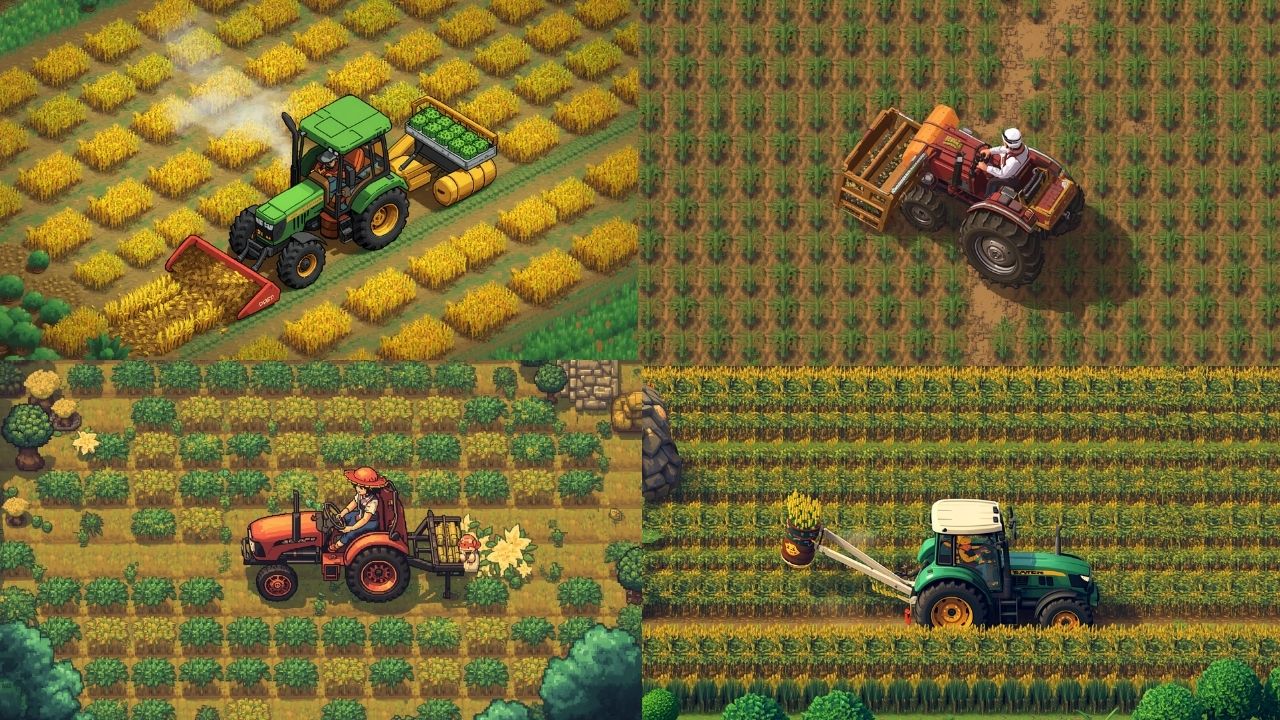
Short explanation: Allows you to buy a Tractor Garage from Robin. Once built, you can ride a tractor around your farm that automatically uses whatever tool you are holding in a massive 3×3 or 5×5 radius.
My personal experience: Clearing my farm in Spring 1 used to take my entire real-life evening. In my experience using the Tractor Mod, it turns a grueling chore into pure satisfaction. Holding a scythe on the tractor harvests crops instantly. Holding seeds plants an entire field in seconds. Because you have to pay Robin a lot of gold and Iridium to build the garage, it genuinely feels like a balanced late-game reward.
Pros & Cons:
- Pros: Makes farm maintenance incredibly fast; highly customizable radius settings.
- Cons: Makes horses completely obsolete on the farm.
Who it is best for: Players with massive, sprawling crop farms who hate spending their entire in-game day watering and harvesting.
6. Lookup Anything
Short explanation: Hover your mouse cursor over any item, crop, animal, or villager, press ‘F1’, and a menu pops up telling you everything about it.
My personal experience: I used to play Stardew with 15 browser tabs open. I tested Lookup Anything, and I never looked at a wiki again. If I press F1 on a villager, it tells me their favorite gifts, their current heart level, and if I have talked to them today. If I press it on a crop, it tells me exactly how many days until it is ready for harvest. It is incredibly lightweight and helpful.
Pros & Cons:
- Pros: Keeps you immersed in the game instead of alt-tabbing; helps you plan crop cycles perfectly.
- Cons: Takes away the “mystery” of figuring out villager gifts through trial and error.
Who it is best for: Efficiency players who hate forgetting gift preferences or crop growth times.
7. Chests Anywhere
Short explanation: Press a hotkey (default ‘B’) to open a drop-down menu that lets you access every single chest you own from anywhere in the world.
My personal experience: I am a digital hoarder. When I am on floor 80 of the mines, and my inventory is full of slime and ore, teleporting those items directly to my “Mining Box” back at the farm without leaving the dungeon feels amazing. You can even access the shipping bin remotely to sell things on the fly.
Pros & Cons:
- Pros: Ends inventory management nightmares entirely; lets you name and organize your chests easily.
- Cons: Can make dungeon diving too easy since you never have to throw away loot to make room for better items.
Who it is best for: Hoarders, mine-divers, and anyone who hates running back and forth to their house because they forgot one piece of copper.
8. UI Info Suite 2
Short explanation: Overhauls the user interface to add helpful icons. It shows your daily luck on the screen, visualizes the exact range of scarecrows and sprinklers, and displays an icon when a tool is done upgrading at Clint’s shop.
My personal experience: Placing sprinklers and scarecrows in vanilla Stardew requires mentally counting grid tiles, which always gives me a headache. I tested the visualizer in UI Info Suite, and it draws a neat green box around the exact tiles your sprinkler will cover. It is a game-changer for farm design.
Pros & Cons:
- Pros: Combines like 10 different minor QoL mods into one clean, customizable package.
- Cons: You have to download it from GitHub now, as the Nexus Mods version is heavily outdated.
Who it is best for: Farm designers and players who want passive information without pressing extra buttons.
9. DaisyNiko’s Earthy Recolor
Short explanation: A purely visual mod that replaces the bright, neon-yellow vanilla dirt and grass with muted, natural, cozy tones.
My personal experience: I love vanilla Stardew, but during the Summer season, the ground is so bright yellow that it actually strains my eyes during long gaming sessions. In my experience, installing Earthy Recolor instantly transforms the game into a cozy, Pinterest-worthy aesthetic. The greens are softer, the dirt is a rich brown, and the trees look far more organic.
Pros & Cons:
- Pros: Much easier on the eyes; makes the game feel fresh and modern.
- Cons: Can sometimes conflict with custom foliage mods if you don’t adjust the settings.
Who it is best for: Cozy gamers, decorators, and anyone who plays in a dark room.
10. Skull Cavern Elevator
Short explanation: Adds an elevator to the brutal Skull Cavern in the desert, working exactly like the one in the regular town mines (saving your progress every 5 floors).
My personal experience: The vanilla Skull Cavern is a test of sheer anxiety, requiring you to start from floor 1 every single time. I tested this mod because I was sick of spending a million gold on stone staircases. It finally allowed me to reach floor 100 casually over a few days instead of stressing out in a single sweaty speed run.
Pros & Cons:
- Pros: Removes the massive anxiety and rush of desert mining.
- Cons: Definitely a cheat mod; it drastically lowers the difficulty and prestige of hitting floor 100.
Who it is best for: Casual players who hate stressful, time-limited combat but still want Iridium ore.
Comparison Table: Which Mod Type Are You Looking For?
To help you decide what to install first, here is a quick breakdown of how these trending mods affect your game.
| Mod Name | Primary Category | Impact on Vanilla Game | Setup Difficulty |
|---|---|---|---|
| SVE | Content Expansion | Massive (Changes everything) | Medium (Needs frameworks) |
| Ridgeside Village | Content Expansion | Massive (Adds a new world) | Medium (Needs frameworks) |
| Automate | Quality of Life | High (Changes gameplay loops) | Easy |
| NPC Map Locations | Quality of Life | Low (Just adds info) | Easy |
| Tractor Mod | Farming / Late Game | High (Speeds up tasks 10x) | Easy |
| Earthy Recolor | Visual / Aesthetic | None (Visual only) | Easy |
⚠️ Special Section: The Dark Side of Modding (Beware Outdated Frameworks)
Just like mobile games that claim to work “offline” but force you to connect to the internet, there is a trap in the Stardew modding community you need to avoid: Outdated Framework Mods that will corrupt your save file.
Because Stardew Valley regularly receives massive updates (like the legendary 1.5 and 1.6 patches), the underlying code changes. Many mods require “frameworks” (like Content Patcher, JSON Assets, or SpaceCore) to run.
My Warning: Before you download any mod on Nexus Mods, you must check the “Last Updated” date on the files page. If a mod hasn’t been updated since 2022, and people in the “Posts” tab are complaining about red text in their SMAPI console, do not install it. Forcing an outdated mod into a modern Stardew save file can completely delete your farm. Always read the comments, and always back up your save file (%appdata%\StardewValley\Saves) before modding!
Category-Based Recommendations: Where Should You Start?
Depending on what kind of hardware you have and what you want out of the game, here are my curated starting packages:
The “Vanilla Plus” Pack (Best for Purists & Low-End Laptops)
If you just want to fix the annoying parts of the game without changing the core experience, install:
- NPC Map Locations
- UI Info Suite 2
- Lookup Anything (This combination requires almost zero processing power and won’t slow down your old laptop).
The “Whole New Game” Pack (Best for High-End PCs & Veterans)
If you are bored with the base game and want to lose another 300 hours of your life, install:
- Stardew Valley Expanded
- Ridgeside Village
- Automate (Warning: Loading two massive expansions will make your initial game load times longer, so installing this on an SSD is highly recommended).
The “Cozy Aesthetic” Pack (Best for Decorators)
If you want your farm to look like an autumn Instagram post, install:
- DaisyNiko’s Earthy Recolor
- Tractor Mod (to easily clear ugly debris)
Frequently Asked Questions (FAQs)
Q: Do mods disable my Steam achievements? A: No, but only if you launch the game correctly! When you install SMAPI, it will give you a specific line of text to copy and paste into your Steam “Launch Options.” If you do this correctly, Steam will track your achievements and playtime perfectly while running mods.
Q: Can I play multiplayer with these mods? A: Yes, but there is a strict rule: All players must have the same mods installed. If you have Stardew Valley Expanded and your friend doesn’t, your games will crash when trying to connect. Aesthetic mods (like Earthy Recolor) are usually the only exception.
Q: Are Stardew Valley mods free? A: 100% free. The Stardew modding community is incredible and hosts everything on Nexus Mods or ModDrop. Never pay for a Stardew Valley mod.
Q: Can I install mods on the Nintendo Switch or Mobile versions? A: Currently, you cannot mod the Nintendo Switch or console versions. Mobile modding (Android) is possible, but it is highly complex, and many major mods (like SVE) struggle to run on mobile processors. This guide is strictly for PC/Mac users.
Final Verdict: Taking the Plunge
Modding Stardew Valley can seem intimidating if you have never messed with game files before, but thanks to SMAPI, it is basically as easy as dragging and dropping folders.
If I had to give you one final recommendation: Start small. Don’t download 50 mods on your first day. Start by installing NPC Map Locations and Lookup Anything. Experience how much those two simple QoL tweaks improve your daily farm life. Once you are comfortable with how SMAPI works, you can take the plunge into massive, beautiful overhauls like Stardew Valley Expanded.
Vanilla Stardew is a masterpiece, but a carefully modded Stardew Valley is a game you will never, ever want to put down. Happy farming!
Related posts:
 Best Offline Android Games That Actually Work Without Internet (Tested Guide 2026)
 Top 3 Hot Computer PC games in 2024 | Investigating the Fate of Gaming | Top 03 Best video Games in 2024
 How to Play Bloodborne on PC in 2026 – Download, Emulator & All Methods Explained
 GTA 6 Release Date: Is It Really Delayed Till November 2026? (The Honest Truth)